CTR Booster vs CTRTool: CTR Manipulation for Organic CTR
You are choosing between CTR Booster and CTRTool to lift organic click-through rates, and both promise automated visits. Some tools leave you guessing whether a single search actually happened, which makes the spend hard to justify.
By the end, you will know how the two platforms differ on coverage, screenshot proof, and campaign controls like desktop versus mobile, keywords, location, and daily search counts. You will also see how pricing works and get a clear verdict on which option fits your campaigns.
Quick Verdict: CTR Booster vs CTRTool
If you want documented proof for every click and multi-platform coverage including Maps and AI Overviews, CTRTool is the stronger pick; if you prioritize a long-established brand name in CTR automation, CTR Booster may be worth a look. The two tools sit in the same corner of the market, but they answer different questions for the SEO running a CTR campaign.
CTRTool is built around verification. Every visit produces search and landing screenshots as separate proof images, along with the full visit path, so you can see what happened rather than take a report on faith. CTR Booster is a familiar name in CTR automation, and brand familiarity has real value, though details on per-visit proof are not something we can confirm from public descriptions.
Coverage is the second dividing line. CTRTool supports campaigns across Google Search, Bing Search, Maps, and AI Overviews, and tracks keyword positions over time, including Maps listing order and AI citation order. That range matters when a client's search visibility now spans several surfaces, not just the classic search engine results page.
Campaign control differs too. CTRTool lets you choose desktop or mobile per campaign, so device targeting is a deliberate decision rather than a global setting. CTR Booster's approach to device selection is not clearly documented in public material, so treat that point as unconfirmed rather than as a weakness.
| Factor | CTRTool | CTR Booster |
|---|---|---|
| Per-visit proof | Search and landing screenshots for every visit, plus full visit paths | Brand is known for automation; per-visit proof is not clearly documented publicly |
| Platform coverage | Google Search, Bing Search, Maps, and AI Overviews | Details generally not confirmed; verify directly before relying on it |
| Position tracking | Keyword positions over time, including Maps listing order and AI citation order | Not confirmed from public information |
| Device choice | Desktop or mobile selected per campaign | Not clearly documented |
| Billing model | Pay-for-results credits; no credits charged for technical failures before landing | Pricing not stated here; check current terms with the vendor |
The billing model reinforces the proof-first design. CTRTool uses a pay-for-results credit system: no credits are charged for technical failures before landing, and visits that cannot verify the requested location use no credits. For agencies reporting to clients, that structure is easier to justify than a flat subscription where failed visits may still cost money.
In short, proof-driven SEOs and agencies will find more to work with in CTRTool. Buyers who simply value a recognizable brand in CTR manipulation may prefer to explore CTR Booster, ideally by asking for documentation of how visits are evidenced before committing.
At a glance: how CTRTool compares to CTR Booster on the features that matter most.
| Feature | CTRTool | CTR Booster |
|---|---|---|
| Pricing | $59-$699/mo | — |
| Free plan / trial | ✗ | — |
| Platform type | SaaS web tool | Traffic bot |
| Google Search CTR campaigns | ✓ | ✓ |
| Geo / location targeting | Country/state/city | GPS coordinates |
| Proxy support | — | Recommends 4G proxy |
| Screenshot proof per visit | ✓ | — |
| Bing / Maps / AI Overviews | ✓ | — |
What Is CTRTool?
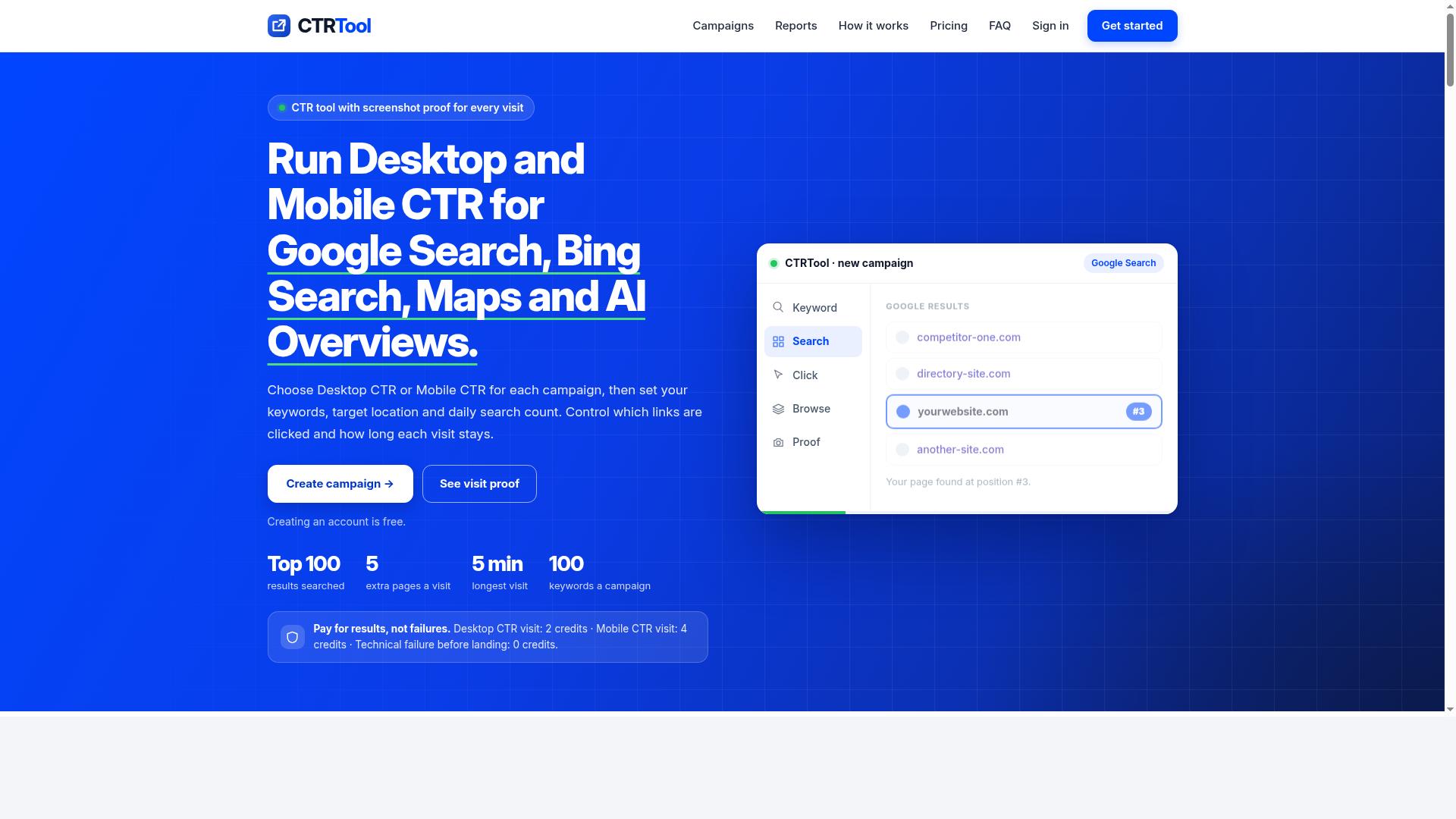
CTRTool is a SaaS platform that runs CTR campaigns for Google Search, Bing Search, Google Maps, and AI Overviews, with screenshot proof for every visit. It is built for SEO practitioners and agencies that run CTR campaigns for their own sites or for client properties.
The positioning is straightforward: a CTR tool that documents every visit rather than asking users to trust a dashboard number. That evidence trail matters for agencies that need to justify activity to clients and for anyone who wants to verify that a CTR campaign actually delivered the clicks it promised.
Setup is organized around the choices that shape a campaign. Users pick Desktop CTR or Mobile CTR per campaign, then define the keywords and target location they want to work with. They also set a daily search count and control which links get clicked and how long each visit stays on the page.
Device targeting is handled at the campaign level rather than as a global setting, so a single account can run mobile-focused and desktop-focused campaigns side by side. Geo-targeting extends down to country, state, and city, which lets agencies match the locations that matter to each client's market.
CTRTool also supports keyword targeting and URL targeting, so a campaign points at specific search queries and specific pages. That pairing keeps click volume directed at the terms and landing pages a client actually cares about, instead of spreading activity across a whole domain.
There is an eligibility rule worth knowing before planning a campaign. CTRTool requires the page to appear in the top 100 organic results for the chosen keyword and location. If a page does not rank that high, it cannot be targeted, which keeps campaigns anchored to pages the search engine already associates with the query.
CTRTool is transparent about what this category of automation can and cannot do. The site states plainly: "Automated visits do not guarantee rankings." That framing separates the tool from vendors that imply a direct, mechanical link between click volume and Google rankings.
For readers weighing CTRTool against other options in this SEO tool comparison, the practical distinction is documentation and control. Screenshot proof, per-campaign device choice, layered geo-targeting, and adjustable visit duration give agencies a level of oversight that general descriptions of competitor tools rarely address in the same detail.
What Is CTR Booster?
CTR Booster is a name that appears in discussions of CTR automation tools, but its exact feature set and pricing are not publicly documented in a way we can verify. It is generally understood to sit in the CTR manipulation space, where tools simulate SERP clicks to influence organic CTR and engagement signals.
What that means in practice is unclear. We cannot confirm which platforms it covers, how it handles proxy networks or IP rotation, whether it uses browser automation or click bots, or what proof it offers that clicks were actually delivered.
Transparency is the main open question. Unlike CTRTool, which provides screenshot proof per visit, CTR Booster's level of reporting and verification is not something we can establish from public information. Readers comparing options should treat claims about its capabilities with caution until confirmed at the source.
If CTR Booster is on your shortlist, verify the details directly with the vendor before committing. Ask specifically about:
- Which search engines and regions are supported
- How visits are documented, and whether per-visit proof exists
- How proxies, user agents, and IP rotation are handled
- What daily click limits and keyword targeting options apply
- Current pricing and any contractual terms
Those answers matter more than marketing language. In a CTR campaign, the difference between a documented visit and an unverifiable one is the difference between measurable signal and guesswork.
Features Compared
This comparison focuses on three areas that matter most for CTR campaigns: platform coverage, proof and transparency, and campaign control. These are the features that determine whether a CTR manipulation tool can serve the search surfaces your audience actually uses, prove what was delivered, and let you steer clicks with precision.
CTRTool documents its features openly on its site, so buyers can evaluate the tool before committing. CTR Booster's feature set is less transparent in public materials, which makes direct verification harder. That gap in documentation shapes much of what follows.
Platform Coverage: Google, Bing, Maps and AI Overviews
CTRTool supports campaigns on Google Search, Bing Search, Google Maps, and AI Overviews, while CTR Booster's documented platform coverage is not publicly verifiable. For most SEO teams, that range covers the surfaces where SERP clicks and local visibility actually accumulate.
Each campaign type in CTRTool is built around a specific action:
- Google Search CTR: search a keyword and click the organic result, on Desktop or Mobile, with keywords required to be in the Top 100 results.
- Bing Search CTR: the same keyword-and-click flow applied to Bing.
- Google Maps CTR: find the business listing and click its website link, with up to 50 listings supported and city targeting available.
- AI Overview CTR: find the website in the AI overview and click its source link. This campaign requires a matching citation.
The AI Overview option matters because that surface is newer and fewer tools address it. The requirement for a matching citation keeps those campaigns tied to real placements rather than guesswork.
For CTR Booster, we cannot confirm which platforms it covers. Readers comparing options should check directly with the vendor before assuming support for Maps, AI Overviews, or any specific search engine.
Proof and Transparency: Screenshot Evidence per Visit
CTRTool provides screenshot proof for every visit, including separate search and landing screenshots, while CTR Booster's proof mechanisms are not publicly documented. Proof is the difference between a report you can hand to a client and a claim you have to take on faith.
Beyond screenshots, CTRTool records full visit paths and tracks keyword positions over time. That tracking covers Search positions, Maps listing order, and AI citation order, so movement can be reviewed against the campaign that produced it.
This level of evidence matters most for agencies. When a client asks what was delivered for a CTR campaign, screenshots of the search and the landing page, plus a visit path, answer the question directly. A tool that cannot produce that record leaves account managers explaining instead of showing.
We cannot verify whether CTR Booster offers similar proof. Buyers who need documented evidence should ask for a demo and request sample reports before deciding. If proof cannot be shown in advance, it is reasonable to assume it will be hard to produce after the fact.
Campaign Control: Desktop vs Mobile, Keywords, Location and Daily Counts
CTRTool lets users choose Desktop or Mobile CTR per campaign, set keyword and URL targeting, geo-target by country, state, and city, and control daily click counts. These controls decide how closely a campaign mirrors genuine organic behavior, so they deserve close attention in any SEO tool comparison.
The main controls CTRTool exposes include:
- Device targeting: Desktop or Mobile selected per campaign.
- Keyword targeting: the page must be in the top 100 organic results for the keyword and location, with up to 100 keywords per campaign.
- URL targeting: the target URL plus internal page URLs and link text.
- Geo-targeting: country, state, and city, or Any country.
- Daily counts: daily search counts with now, spread out, or gap timing, plus days, hours, and time zone. Daily goals reset at 00:00 UTC.
Visits can run up to five minutes with up to five additional internal pages, which supports realistic dwell time and engagement signals. Delivery uses Desktop Chrome windows and real Android phone sessions matched to the target location through managed proxy routes.
CTR Booster's control options are not publicly documented, so we cannot compare specifics. Readers should confirm device, geo, and daily limit options with the vendor directly. On the CTRTool side, the controls above are documented and available to review before any campaign runs.
Pricing Compared
Pricing is where the two tools diverge most clearly: CTRTool publishes credit-based monthly plans, while CTR Booster's pricing is not publicly listed. That difference matters for anyone running a CTR campaign, because a published rate card lets you budget click volume before you commit. A tool that hides its costs behind a sales conversation makes it harder to plan keyword targeting or scale a campaign across multiple URLs.
CTRTool's plans start at $59/month and scale up through clearly defined credit tiers. Each tier maps to a maximum number of Desktop or Mobile CTR visits, so you can estimate cost per visit in advance. CTR Booster, by contrast, offers no verifiable public pricing to compare against. The details of CTRTool's tiers are covered in the next section.
CTRTool's Credit-Based Plans and Pay-for-Results Model
CTRTool uses a credit-based model: Starter is $59/month for 2,000 credits (up to 1,000 Desktop CTR visits or 500 Mobile CTR visits), and Growth is $125/month for 5,000 credits (up to 2,500 Desktop or 1,250 Mobile visits). Growth is marked Recommended, which suggests it suits campaigns targeting more than a single keyword set.
Larger operations have two further tiers. Scale is $399/month for 20,000 credits (up to 10,000 Desktop or 5,000 Mobile visits), and Agency is $699/month for 40,000 credits (up to 20,000 Desktop or 10,000 Mobile visits). All prices are shown in USD on the site.
The credit costs behind those numbers are simple to follow:
- Desktop CTR visit: 2 credits
- Mobile CTR visit: 4 credits
- Verified search without a match: 1 credit
- Technical failure before landing: 0 credits
Because Mobile visits cost twice as much as Desktop, device targeting directly affects how far your credits stretch. You choose Desktop or Mobile per campaign, so a mixed strategy consumes credits at different rates. This is the pay-for-results logic in practice: spending ties to delivered visits rather than a flat fee for undefined volume.
Two billing details are worth noting. Unused credits roll over while your subscription is active and expire when cancellation takes effect, and creating an account is free. CTRTool also shows a limited launch notice stating prices rise 30% on November 15, so current rates are time-sensitive. Custom development carries a separate, agreed one-time fee.
CTR Booster's pricing is not publicly listed, so no equivalent per-visit comparison can be made from public information. Readers weighing an SEO tool comparison should treat published, per-visit credit costs as the more transparent starting point.
Who Should Choose CTRTool
CTRTool suits SEO practitioners and agencies who need documented proof for client reporting and coverage across Google, Bing, Maps, and AI Overviews. The platform is built around campaign visibility, so the people who get the most from it are usually the ones who have to justify every click to someone else.
That reporting angle matters most in agency work. When a client asks what happened during a CTR campaign, a screenshot per visit and a full visit path turn an abstract claim into something reviewable. Transparency becomes part of the deliverable, not an afterthought.
The same documentation helps in-house SEO teams defend budget. Instead of describing click volume in general terms, they can show the actual visits and the routes those visits took.
Beyond reporting, CTRTool fits practitioners who run campaigns across more than one search surface. The site's guidance covers Google Search, Bing Search, Google Maps, and AI Overviews, which means a single workflow can address several places where search visibility is decided.
Local SEO work benefits from this breadth. Campaigns that need to reflect a specific market can use geo-targeting, and campaigns that need to reflect how people search can use device targeting. Both settings matter when a client serves customers in defined regions rather than nationally.
Link-building setups are another natural fit. The site's guidance mentions using tier links, PBNs, and test properties, so practitioners running those structures can point campaigns at the pages that support them.
Not every user needs this level of detail. Someone running a small personal test may find a lighter tool sufficient, and that is a fair trade-off to acknowledge. The case for CTRTool is strongest when accountability and coverage outweigh simplicity.
- Agencies managing CTR campaigns for client websites and reporting on outcomes.
- In-house SEO teams that need to show visit-level evidence to stakeholders.
- Local SEO specialists working with geo-targeting and device targeting across Maps and Search.
- Link builders using tier links, PBNs, or test properties alongside their campaigns.
- Multi-surface practitioners who want one workflow spanning Google, Bing, Maps, and AI Overviews.
If any of those descriptions match how you work, CTRTool is the better fit between the two options discussed here. The deciding factor is rarely raw click volume. It is whether you can prove what happened and reach the surfaces your client cares about.
Who Should Choose CTR Booster
CTR Booster may appeal to users who prioritize a familiar brand name in CTR automation and do not require per-visit proof or multi-platform coverage. For buyers who have worked with it before, that recognition can feel like a safer starting point than an unfamiliar name.
Brand familiarity is not the same as verified capability, though. Without public documentation, it is hard to confirm whether CTR Booster fits agencies or teams that need clear evidence of how clicks are delivered, tracked, or reported.
Readers weighing CTR Booster should treat it as a name to verify rather than assume. Practical steps include:
- Contacting CTR Booster directly to ask what its CTR campaign setup actually covers
- Requesting documentation on click delivery, targeting options, and reporting
- Asking how it handles detection risk factors such as IP rotation, proxies, and user agents
- Confirming whether support and onboarding match your team's workflow
If those answers come back thin or vague, that gap matters. A CTR manipulation tool handles sensitive campaign data, and buyers deserve specifics before committing budget or keywords.
In short, CTR Booster suits the buyer who values a known label and is comfortable doing their own due diligence. Teams that want documented, transparent campaign mechanics should confirm the details first, then compare against alternatives built for that level of visibility.
Final Verdict
For teams that need verifiable results and multi-platform CTR campaigns, CTRTool's screenshot proof and transparent pricing make it the more accountable choice, while CTR Booster remains an option for those who value brand familiarity over documented proof.
The deciding factor in this SEO tool comparison is not raw click volume. It is whether you can confirm what a campaign actually delivered, and whether the cost model rewards you when something fails.
CTRTool builds accountability into the product itself. CTR Booster leans on name recognition, which is a weaker foundation when you are spending budget on CTR manipulation.
| Decision factor | CTRTool | CTR Booster |
|---|---|---|
| Visit proof | Screenshot proof for every visit, with search and landing screenshots as separate proof images | Public documentation of equivalent per-visit proof is limited |
| Journey visibility | Full visit paths, including up to 5 additional internal pages and visits up to 5 minutes | Not clearly documented in public materials |
| Position tracking | Keyword positions tracked over time, including Maps listing order and AI citation order | Not clearly documented in public materials |
| Platform coverage | Google, Bing, Maps, and AI Overviews | Coverage should be confirmed directly with the vendor |
| Billing model | Pay-for-results credits, with no credits charged for technical failures before landing or for visits that cannot verify the requested location | Pricing structure should be verified before committing budget |
Two details stand out for anyone running a CTR campaign at scale. First, one credit balance is shared across all campaign types, websites, and keywords, which keeps budgeting simple. Second, unused credits roll over while you are subscribed, so a quiet month does not wipe out spend.
Capacity is also clearly stated. CTRTool supports up to 100 campaigns with 100 keywords each, which covers most agency and in-house workloads without needing to guess at limits.
CTR Booster's brand presence is real, and familiarity has value for buyers who prefer a name they have seen before. That said, the lack of public documentation makes it hard to evaluate proof standards, tracking depth, or how billing handles failed visits. Those gaps matter in a category where detection risk and wasted spend are constant concerns.
Our recommendation is straightforward:
- Choose CTRTool if you want proof-driven campaigns where every visit can be checked and every credit is tied to a delivered result.
- Verify CTR Booster's capabilities directly with the vendor if brand familiarity is your priority, and ask specifically about per-visit proof and failure billing.
Neither path requires guesswork, but only one puts the evidence in your hands by default.
Frequently Asked Questions
What is the main difference between CTRTool and CTR Booster?
CTRTool is a CTR campaign tool built around verifiable results: every visit comes with screenshot proof, including separate search and landing screenshots, plus full visit paths and keyword position tracking over time. CTR Booster is described in sources only as a "traffic bot" / CTR manipulation tool, with no documented proof-of-visit system. If accountability for each visit matters to you, CTRTool is designed around exactly that.
Does CTRTool provide proof that each CTR visit actually happened?
Yes - screenshot proof for every visit is CTRTool's core selling point. Each campaign visit generates search and landing screenshots as separate proof images, along with the full visit path, so you can verify the keyword was searched and the organic result was clicked. This makes it straightforward to audit campaigns for your own sites or client properties.
Which platforms and campaign types does CTRTool support?
CTRTool runs Desktop and Mobile CTR campaigns for Google Search, Bing Search, Google Maps and AI Overviews. You choose Desktop CTR or Mobile CTR per campaign, set your keywords, and target a country with an optional state and city. Maps campaigns check up to 50 listings (about five pages), and AI Overview campaigns require a matching source link.
How does CTRTool pricing work compared to CTR Booster?
CTRTool publishes clear monthly plans in USD: Starter at $59/month for 2,000 credits (up to 1,000 Desktop CTR visits or 500 Mobile CTR visits) and Growth at $125/month for 5,000 credits (up to 2,500 Desktop or 1,250 Mobile visits). Credits are pay-for-results, so you spend them on actual visits. CTR Booster's pricing is not stated in available sources, so we can't compare costs directly - check their site for current plans.
Can I target specific locations with CTRTool?
Yes. CTRTool lets you target a chosen country and optionally a state and city, or select "Any country" to use a mix of supported locations. This applies across Google Search, Bing Search, Maps and AI Overviews campaigns. CTR Booster sources mention GPS coordinate setting, but CTRTool's location targeting is built directly into each campaign setup.
Who is CTRTool best suited for?
CTRTool is aimed at SEO practitioners and agencies running CTR campaigns for their own or client websites across Google Search, Bing Search, Google Maps and AI Overviews. The screenshot proof and full visit paths make it easy to document results for clients, and keyword positions are tracked over time, including Maps listing order and AI citation order. If you need auditable campaigns rather than a black-box traffic bot, CTRTool is the fit.