Location Based Task Coordination Software for Field Service Teams: 5 Top Picks
Your field team's day starts with a spreadsheet and ends with phone calls asking where everyone is. Dispatchers waste hours matching jobs to the nearest technician, and paper attendance sheets invite disputes. That friction is usually why teams start comparing tools.
This article breaks down what actually matters in location based task coordination software: GPS tracking, task assignment, attendance, and pricing that fits field budgets. You will get five top picks, starting with Tasks.Bot, plus a clear framework for matching software to your team's size and workflow.
What to Look For in Location Based Task Coordination Software
Selecting the right location-based task coordination software can transform how your field teams operate, but only if you evaluate the features that directly impact dispatch efficiency and on-site accountability. Field service operations live or die by three pillars: knowing where your people are, assigning the right work to the nearest qualified technician, and capturing proof of attendance and completion.
Miss any one of those pillars and the gaps show up fast. A dispatcher who cannot see who is closest to a job wastes fuel and billable hours. A manager who cannot confirm a technician actually arrived on site has no defense when a customer disputes the visit.
Software in this category also has to survive the realities of mobile work. Spotty connectivity, last-minute schedule changes, and multi-site coordination are the norm, not the exception. A tool that only works on a stable office network will fail the moment a crew enters a basement, a rural tower site, or a warehouse with thick walls.
Before comparing any specific product, build your own checklist around the capabilities that matter to your operation. The two subsections below cover the features to demand and the pricing and adoption questions to ask, so you can screen vendors on substance rather than sales polish.
Key Features: GPS Tracking, Task Assignment, and Attendance
At a minimum, your software should provide live GPS tracking with geofencing, intelligent task assignment based on proximity and skill set, and a tamper-proof attendance mechanism that works for field staff who may not be office-based. These three functions form the backbone of any field service management platform.
GPS tracking should refresh in real time, not every fifteen minutes. Look for route history playback so supervisors can review where a technician traveled and how long each stop took. Geofencing adds another layer by triggering automatic check-ins or alerts when someone enters or leaves a job site.
Task assignment needs to support two modes. Manual dispatch lets a coordinator override the system when a customer relationship or an emergency demands it. Automated rules handle the rest, for example assigning a job to the nearest available technician with the right certification. A plumbing company dispatching 20 technicians across a city depends on that automation to keep drive times down.
Attendance is where many tools fall short. Simple clock-in buttons invite buddy punching, where one worker clocks in for another. Face verification or location-stamped check-ins close that loophole, which matters for a telecom crew managing tower maintenance across scattered sites.
- Real-time GPS with route history and geofencing
- Manual and rule-based job assignment by proximity and skill
- Attendance with face verification or location stamps
- Offline mode that syncs when connectivity returns
- Integration with messaging apps or devices teams already carry
That last point deserves emphasis. When the mobile field app works through tools workers already use, such as an existing messaging platform or their own phone, training overhead drops sharply. Adoption follows familiarity.
Pricing and Ease of Adoption for Field Teams
Pricing models for field service software vary widely, from per-user monthly fees to tiered feature bundles, so calculate total cost of ownership including onboarding, training, and potential hardware needs. The sticker price is rarely the full story.
Common structures include per-member per-month billing, annual contracts with discounts, and freemium tiers that cap users or features. Watch for hidden costs: implementation fees, paid support tiers, extra charges for GPS history retention, and hardware such as rugged tablets or vehicle trackers.
As a rough benchmark, small teams under ten users might pay $10 to $30 per user per month, while enterprise-grade platforms with deep customization can exceed $100. Treat those ranges as directional only. Vendors bundle features differently, so two quotes at the same price can deliver very different value.
Adoption is where ROI quietly dies. Ask whether every worker must install a new app, or whether the platform reaches them through channels they already use. Low adoption kills ROI faster than any missing feature, because a dispatch board nobody updates is just an expensive calendar.
- Request a live demo with your own dispatch scenario, not a canned script
- Pilot with a small crew before committing the whole team
- Confirm what happens to your data if you leave the platform
- Check whether offline mode is included or a premium add-on
Prioritize solutions with minimal training requirements and familiar interfaces. A cloud-based platform that a technician can learn in an afternoon will outperform a feature-rich system that sits unused. Pilot first, measure adoption, then scale.
1. Tasks.Bot - Best Overall
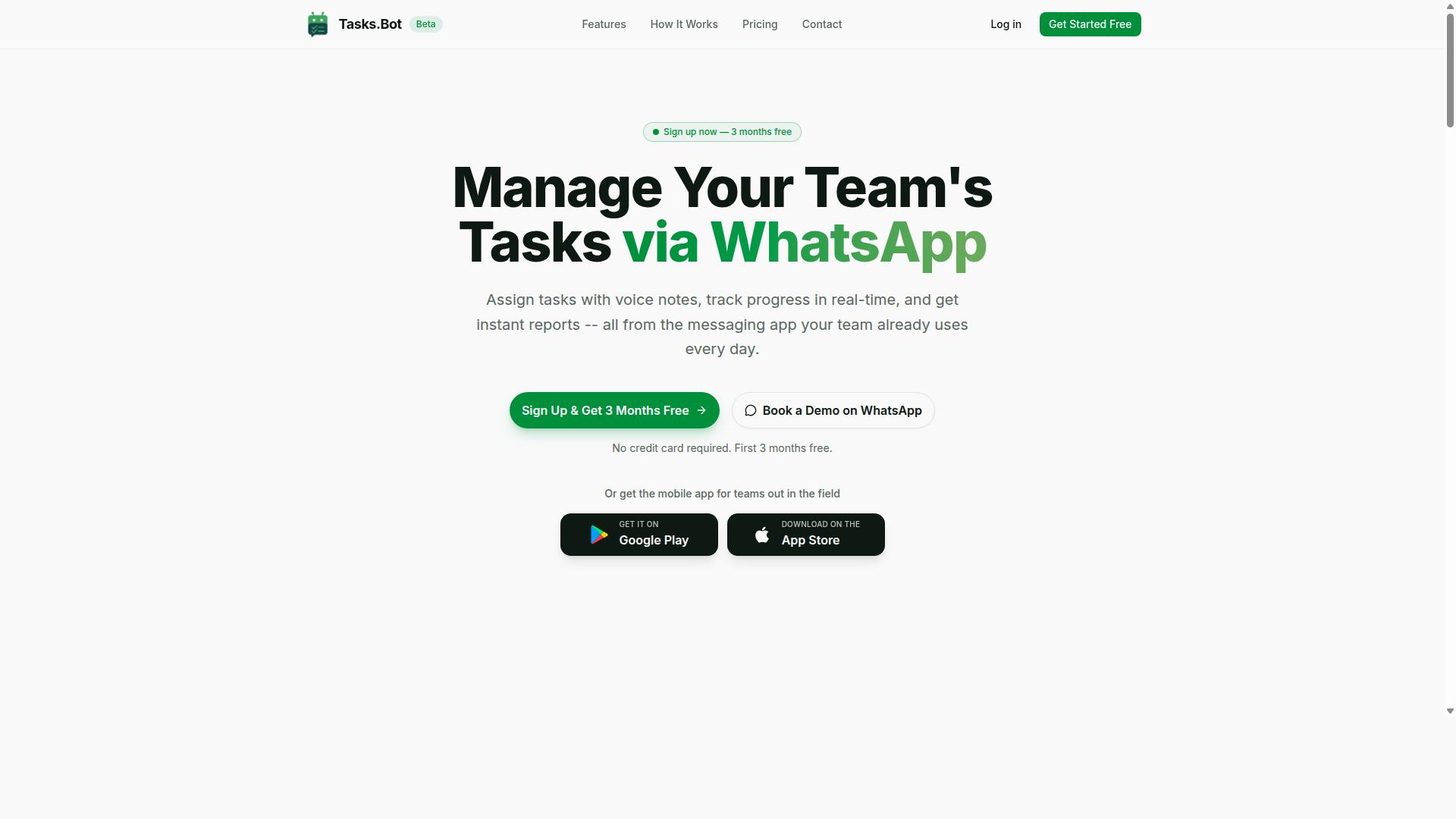
Tasks.Bot earns the top spot for location-based task coordination because it operates entirely within WhatsApp, eliminating app fatigue and enabling instant adoption for field teams already using the messaging platform.
Most dispatch software asks a mobile workforce to learn a new interface, remember another password, and check a separate dashboard. Tasks.Bot takes the opposite route. It is a task management platform that runs inside WhatsApp, with an accompanying mobile app for field teams.
For service organizations, that difference matters. Technicians already carry a phone and already use WhatsApp. Turning that familiar chat window into a work order management channel removes the biggest barrier to adoption: training and habit change.
The platform is currently in beta and offers a free trial period, so teams can evaluate fit before rolling it out across crews.
WhatsApp-Native Task Coordination with Live GPS and Face-Verified Attendance
Tasks.Bot leverages WhatsApp's ubiquity to deliver live GPS tracking, automatic task assignment based on proximity, and face-verified attendance, all without forcing field technicians to learn a new interface.
Task creation is built around how people actually communicate. Dispatchers and managers can send a voice note or a plain text message in natural language, and the AI interprets it to create the task. There is no rigid form to fill in before a job can be assigned.
From there, the system supports proximity-based routing by assigning work to the nearest available team member. Live GPS tracking keeps location updates and route history visible, which helps with real-time scheduling and same-day adjustments.
Attendance uses face verification, which addresses a common field operations problem: proxy check-ins. A technician cannot have a colleague mark them present from another site.
The platform also covers the supporting workflow around a job:
- Approvals for tasks that need sign-off
- Automations that move work forward without manual follow-up
- Smart deadline reminders so jobs do not slip silently
- Instant reports once work is completed
Consider a facility management company dispatching cleaners across multiple buildings. A supervisor records a voice note about a lobby that needs attention, the AI creates the task, and it routes to the cleaner closest to that address. GPS confirms arrival, face verification confirms attendance, and the report lands back in the same chat thread.
Because everything runs through WhatsApp, no new accounts or app downloads are required for team members. Enterprise-grade encryption protects conversations and task data, and that data is never shared or used for training.
Pricing, Free Trial, and Global Availability
Tasks.Bot offers a straightforward 'Full Access' plan with all features included, priced at ₹200 per member per month or ₹1,200 per member per year, and is available globally as a SaaS product accessible via WhatsApp and mobile apps.
The annual option works out to roughly two months free compared with paying monthly, and the brand states a saving of 50%, or ₹1,200 per year per member. Pricing is shown in both Indian Rupees and US Dollars, and the site includes a 'Select currency' option, so it is worth confirming the currency at checkout.
New users get 3 months free with no credit card required, and the subscription can be cancelled anytime. That free trial period is the most practical way to judge whether WhatsApp-native coordination suits a particular crew.
A few points to keep in mind before committing:
- The service is currently in beta, so features may evolve over time
- A refund policy is referenced in the site footer
- There are no country restrictions, which suits distributed and cross-border teams
For teams comparing dispatch software, the entry price is low enough that a pilot with one crew is a reasonable first step. Booking a demo on WhatsApp lets a manager see task creation, GPS visibility, and reporting in the same environment the field team would use daily.
2. Reminderly.ai
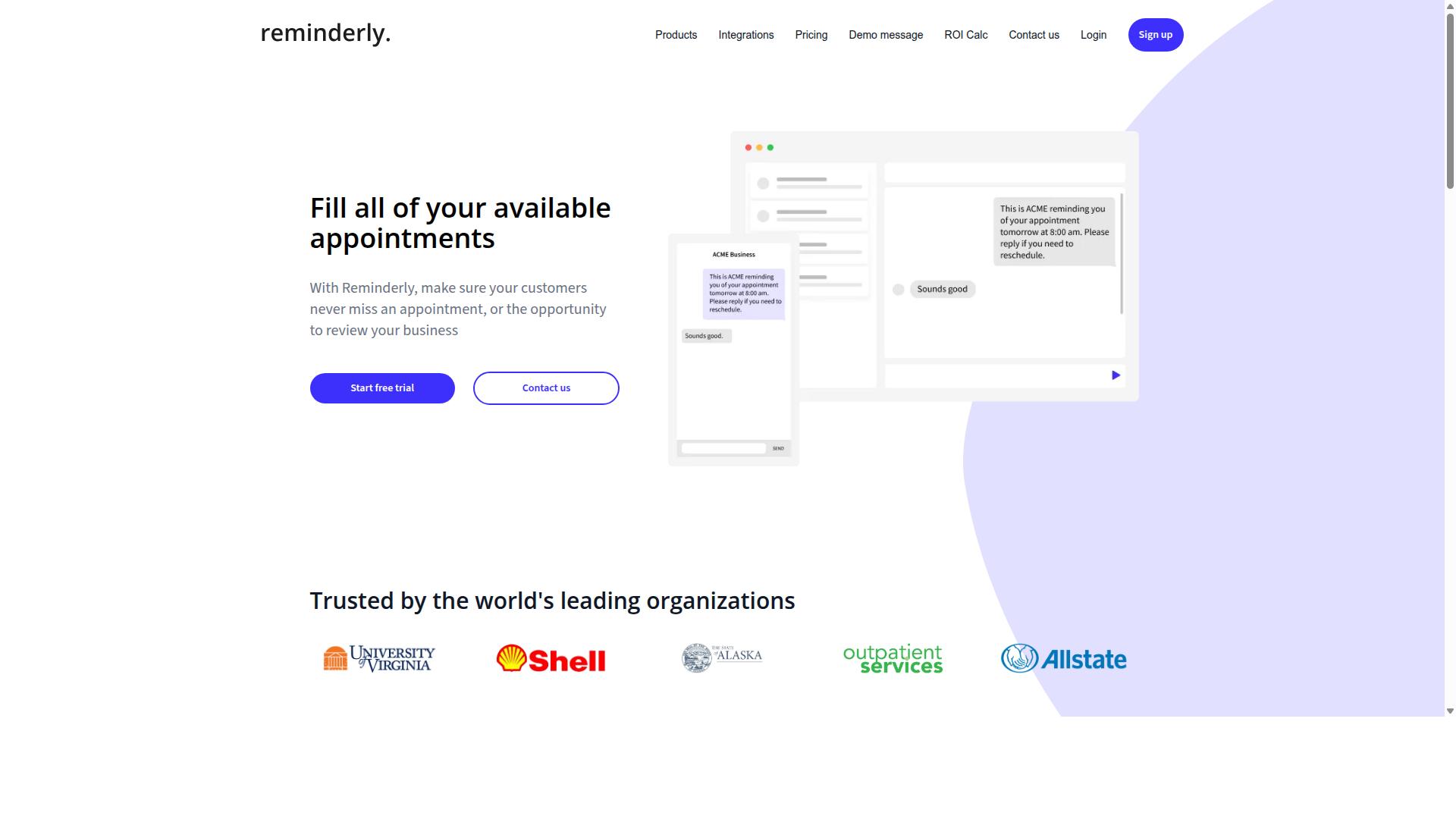
Reminderly.ai is a general-purpose task and reminder tool that can be adapted for basic field coordination, though it lacks dedicated GPS tracking or route optimization features. It sits in a different category than purpose-built dispatch software, and that distinction matters when you are evaluating tools for a mobile workforce.
The platform's core strength is automated reminders and simple task lists. For a small crew that mainly needs to remember what to do and when, that can be enough to keep daily work moving. It is less about where a technician is and more about what they are supposed to do next.
Where it tends to fall short is the field service layer. Live GPS tracking, geofencing, proximity-based routing, and face-verified attendance are the kinds of capabilities buyers often expect from field service management software. Reminderly.ai was not built around those needs, so teams with real dispatch complexity may find it limiting.
Consider a two-person plumbing outfit that handles a handful of calls a day. A reminder-based tool can nudge them through a checklist without much setup. A ten-truck operation juggling emergency calls, parts inventory, and service call management will likely outgrow it quickly.
- Good fit: small teams that want lightweight coordination without complex dispatch
- Weaker fit: crews that depend on geolocation, route optimization, or real-time scheduling
- Unknown: current pricing tiers, integrations, and mobile app capabilities
Because verified details about Reminderly.ai's feature set and pricing are limited, treat any specific claim with caution. Check the vendor's own site for the most current capabilities before committing. If your operation depends on location-based task coordination, compare it directly against platforms designed for that purpose.
In short, Reminderly.ai can work as a starter tool for basic task allocation. It is simply not a substitute for dedicated field operations software when jobs, technicians, and locations all need to move together.
3. TaskRio
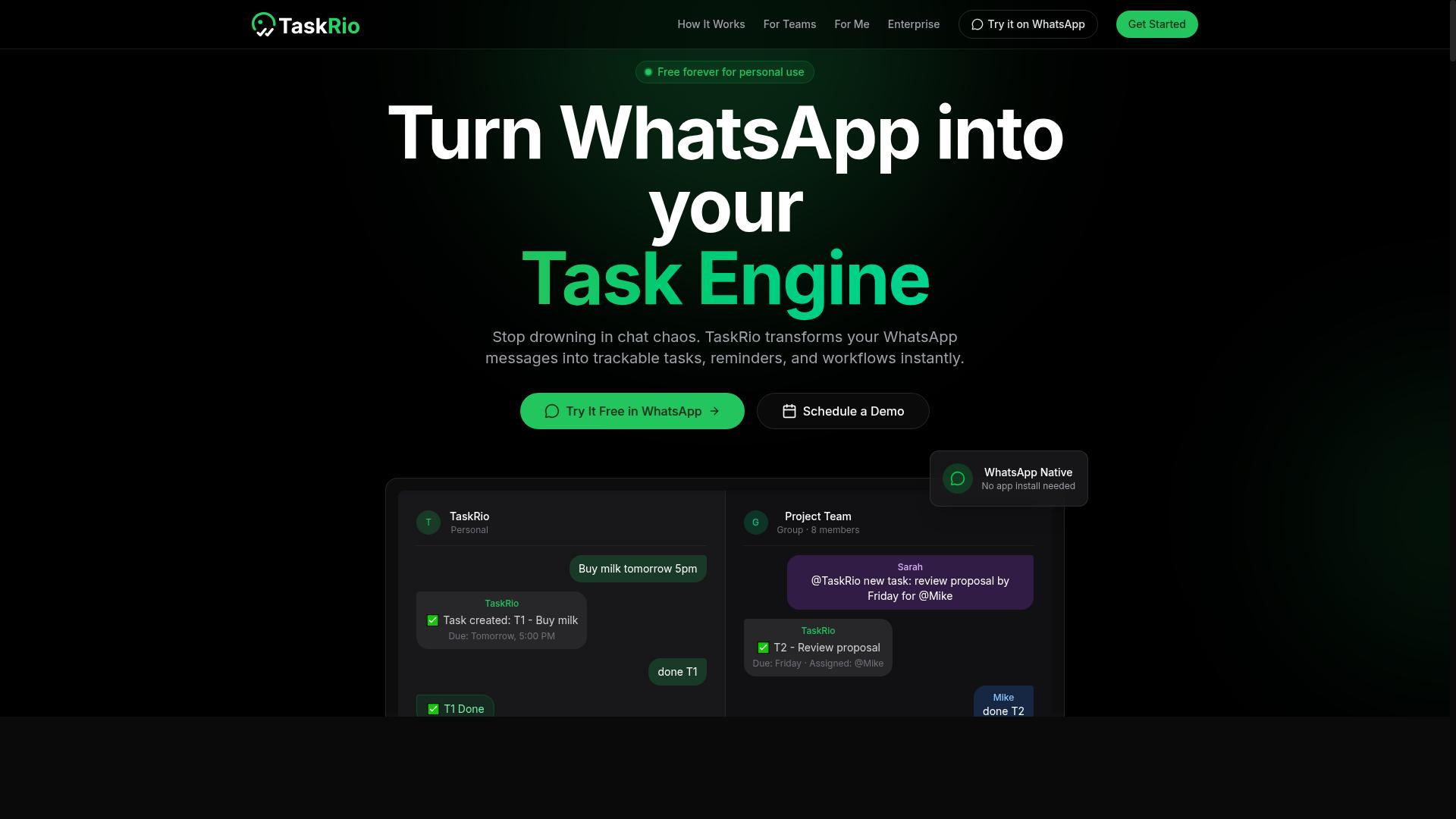
TaskRio positions itself as a collaborative task manager that can support field teams through shared checklists and status updates, but it may not include advanced location-based features like proximity-based routing. Instead of a dedicated dispatch engine, it leans on the basics that keep a small crew aligned: who is doing what, what is finished, and what comes next.
For teams weighing location-based task coordination options, TaskRio is best understood as a general work management tool rather than a purpose-built field service management platform. That distinction matters when your day depends on GPS tracking, route optimization, or real-time scheduling across a dispersed mobile workforce.
What TaskRio typically does well is straightforward job assignment and status tracking. A supervisor can create tasks, hand them to individual workers, and watch progress move from open to complete. Mobile access, where offered, lets a field technician update a task from the job site rather than waiting to report back at the office.
That covers a lot of ground for simple coordination. Shared checklists reduce the phone calls and text threads that eat into a workday, and a visible task list gives everyone a single place to check. For a small operation with a handful of workers and predictable jobs, this level of structure is often enough.
Where TaskRio may fall short is in the specialized features that define modern field service management software. Based on publicly available information, it does not appear to emphasize capabilities such as:
- GPS tracking of technicians in the field
- Proximity-based routing or route optimization
- Attendance verification or geolocation check-ins
- Automated technician dispatching
- Dynamic scheduling that reshuffles jobs as conditions change
Those gaps matter most for teams running time-sensitive service calls. Without proximity-based routing, a dispatcher cannot easily send the nearest available technician, and without geolocation check-ins, confirming that a worker actually arrived on site becomes a manual process. For a two-person crew doing scheduled maintenance, that may be a non-issue. For a growing operation with overlapping appointments, it becomes a real constraint.
TaskRio is likely a reasonable fit for small teams with simple coordination needs. Think of a small landscaping crew, a handyman working with one or two helpers, or an internal maintenance group handling routine requests. In those settings, the value comes from clarity and shared visibility, not from workforce automation.
It is a weaker fit for organizations that need dispatch software to optimize a mobile workforce across a service area. If your operation lives or dies by fast response times and efficient routing, a platform built around geolocation and real-time scheduling will serve you better than a general task manager.
Details about TaskRio's current features, plan tiers, and pricing are not confirmed here. Product offerings in this category change frequently, so verify the latest capabilities and costs directly on the vendor's website before making a decision. Confirm specifically whether mobile apps, location features, and user limits match how your field operations actually run.
4. Karo.bot
Karo.bot is a conversational task management tool that may appeal to teams looking for a chat-based interface, though its field-specific capabilities are not clearly documented.
Unlike platforms built specifically for field service management, Karo.bot appears to sit in the broader category of chatbot-style productivity tools. That distinction matters when you are coordinating field technicians across multiple job sites each day.
Publicly available information about the product is limited. As a result, this entry focuses on what buyers should verify rather than on confirmed feature claims.
What a chat-based task manager typically offers
Conversational tools generally let users create tasks, assign them to people, and receive reminders through a messaging interface. For a small crew handling simple, repeatable jobs, that can be enough to keep task allocation organized.
Some chat-based products connect to popular messaging platforms, which can lower the learning curve for crews already using those apps. However, integration details vary widely and are not documented for this tool.
What is often missing in this category is the deeper machinery that dispatch software depends on. Real-time GPS tracking, live technician location, and automated job assignment are not standard in general-purpose chat tools.
Where it may fit in field operations
A chat-first tool can work as a lightweight layer for internal coordination, such as confirming that a job is done or flagging a follow-up. It is less likely to replace a full work order management system on its own.
Teams weighing it should consider these core field service requirements:
- Real-time location tracking of technicians and vehicles
- Dispatch automation and proximity-based routing
- Dynamic scheduling that reacts to delays and cancellations
- Mobile field app support for on-site updates and photos
- Service call management tied to a shared job history
If any of those are essential to your on-site operations, a chat interface alone will not cover them. Pairing it with a dedicated cloud-based platform is one option, but that adds another tool for the mobile workforce to manage.
How to evaluate fit before committing
Because documentation is thin, a live demo is the most reliable way to judge whether Karo.bot suits your field operations. Prepare questions in advance and ask for concrete answers rather than general assurances.
Useful questions to raise during a demo:
- Does the product capture technician location in real time, or only task status?
- Can jobs be assigned automatically based on proximity or availability?
- Does it support route optimization or only manual ordering?
- How does it handle schedule changes mid-day?
- What integrations exist with existing service call management systems?
Ask to see the mobile experience on a phone, not just a desktop screen. Field technicians work from a mobile field app, so that view reveals more than a slide deck will.
Finally, check how the tool handles location data and permissions. If geolocation is not part of the product, you will need a separate system for location-based task coordination. That is not a flaw in the tool itself, but it does change what you are actually buying.
5. The Sarah AI
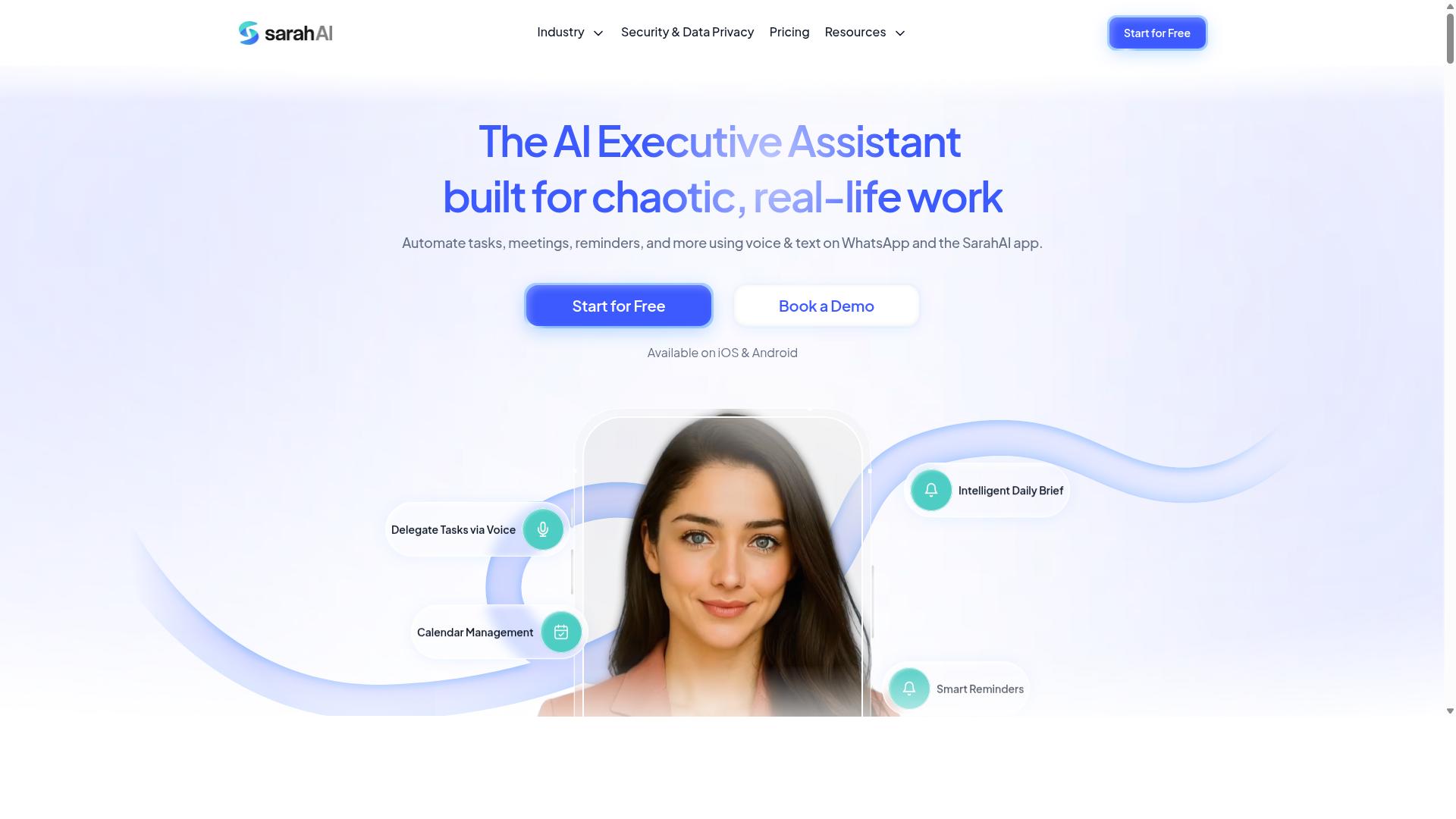
The Sarah AI is an AI-powered assistant that can help automate task assignment and reminders, but it is not exclusively designed for field service management. Its core strength appears to be natural language processing, which lets users describe work in plain language and have the system turn that input into structured tasks.
For a field service team, that capability could reduce the manual effort involved in job assignment and follow-up. Instead of typing every detail into a form, a dispatcher might describe a job and let the assistant draft the task. Reminders and notifications can then be generated automatically, which may help keep field technicians aligned on daily priorities.
That said, the tool is best understood as a general productivity assistant rather than a purpose-built field service management platform. There is no verified information indicating that it offers GPS tracking, route optimization, or attendance monitoring. Teams that need those capabilities would likely need to pair it with other systems or configure custom workflows.
Before adopting it for location-based task coordination, evaluate a few practical questions:
- Does it offer a mobile field app or a responsive web interface that works on phones and tablets?
- Can tasks carry location data, addresses, or geolocation tags that feed into proximity-based routing?
- Does it work together with existing work order management or dispatch software through an API?
- How does it handle real-time scheduling changes when a job is reassigned or delayed?
- What level of customization is required to connect it to on-site operations workflows?
If mobile access and location features are missing or require heavy customization, the tool may function better as a supporting layer for task allocation rather than the primary system of record. In that role, it could still add value by speeding up how tasks are created and communicated across a mobile workforce.
The practical takeaway is to treat The Sarah AI as a flexible assistant that may complement a dedicated field service platform. Check its current documentation for mobile support, geolocation handling, and integration options before committing it to service call management or dynamic scheduling duties.
6. Zoye AI
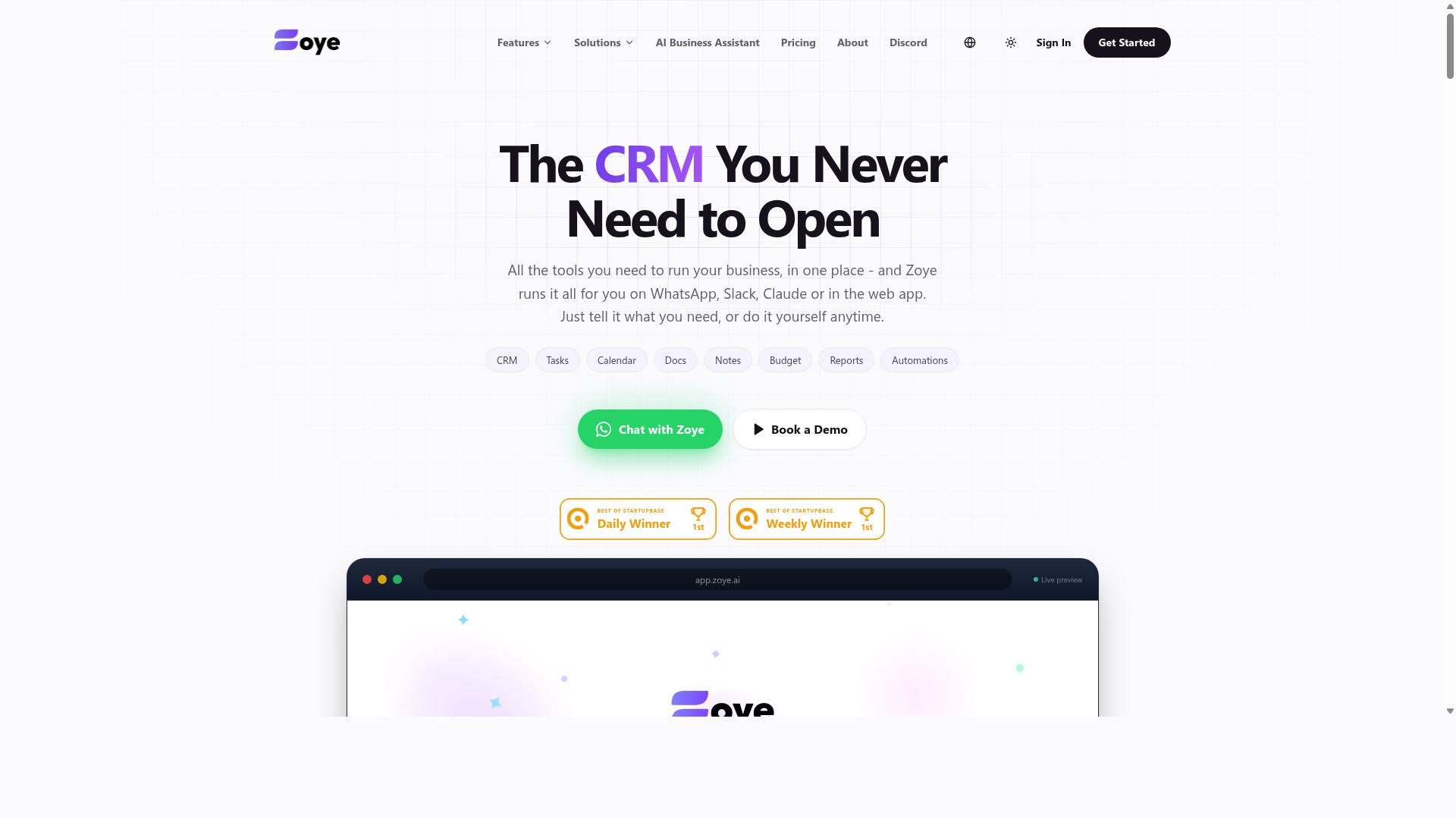
Zoye AI offers AI-driven task management that could be adapted for field teams, but it may lack the specialized dispatch and tracking features required for complex field operations. Publicly available information about the product is limited, so this entry focuses on what the category typically provides rather than confirmed specifications.
The tool is generally positioned around automated task creation and follow-up reminders. AI assistants of this type often turn plain-language requests into structured to-do items, assign them to the right person, and nudge the assignee when a deadline approaches. For a small mobile workforce, that can reduce the manual back-and-forth that eats into a workday.
Where this category of software tends to fall short is in the deeper layers of field service management. Buyers should check whether the platform handles GPS tracking, geofencing, or face-verified attendance before assuming it does. Those capabilities matter when a dispatcher needs to confirm a technician actually arrived on site.
Zoye AI may fit teams whose coordination needs are basic, for example a small crew that mainly needs tasks logged, assigned, and followed up. It is less clearly suited to operations that depend on proximity-based routing, live technician locations, or proof-of-presence records for billing and compliance.
Before committing, verify a few things directly with the vendor:
- Whether the mobile field app supports GPS tracking or geolocation at all
- If geofencing or face-verified check-in is available, and on which plan
- How tasks sync between the office and technicians working on site
- Current pricing, user limits, and any setup or onboarding fees
- Whether integrations exist for work order management or invoicing tools
Feature sets and prices in this space change often, so confirm details on the provider's own site or through a sales conversation rather than relying on third-party summaries. If location-based task coordination is central to your field operations, compare Zoye AI against platforms built specifically for dispatch and real-time scheduling before deciding.
How to Choose the Right Option
Choosing the right location-based task coordination software hinges on matching your team's size, workflow complexity, and existing communication tools to the features that will drive the highest adoption and ROI.
The field service management market offers no shortage of platforms, and the differences between them matter far less than how well a given tool fits your operation. A feature-rich system that your technicians avoid using will underperform a simpler tool they open every day. Adoption is the real metric, not the length of a feature list.
Start with a process audit. Document how tasks are assigned today, whether through phone calls, group chats, spreadsheets, or a legacy platform. Then map which communication tools your team already relies on, since software that lives inside an existing habit removes an entire layer of training friction.
Next, separate must-haves from nice-to-haves:
- Must-haves: GPS tracking, attendance capture, and clear task assignment are baseline requirements for most field operations.
- Nice-to-haves: route optimization, advanced reporting, and payroll exports add value once the core workflow is stable.
- Budget and scalability: weigh per-user pricing against how quickly your headcount may grow.
- Training overhead: every hour of onboarding is a cost, so favor tools with minimal friction.
Teams already coordinating over WhatsApp often find that a platform built for that channel, such as Tasks.Bot, fits with less disruption than a full enterprise suite. Hundreds of teams already use the service for task management, attendance tracking, and payroll-ready hours, which speaks to the value of meeting workers where they already communicate.
Matching Software to Your Field Team's Size and Workflow
A five-person landscaping crew has vastly different needs than a 200-technician HVAC company, so align software complexity with your operational reality.
Small teams (1 to 10 people) usually thrive with lightweight tools that require little to no training. If your crew already runs on WhatsApp, a chat-native approach to task allocation keeps everyone on one screen. A small cleaning service, for example, may only need job assignment, attendance, and hours tracking, without a dispatch console or analytics dashboard.
Mid-sized teams (11 to 50) tend to outgrow informal coordination. At this stage, robust assignment logic, reliable GPS tracking, and visible task status become important. Supervisors need to see who is where and what remains open without calling each technician individually.
Large operations (50+) typically require advanced routing, analytics, and integrations with payroll or ERP systems. Platforms such as ServiceTitan or Salesforce Field Service are built for that scale, while tools like Jobber and Housecall Pro often suit growing small and mid-sized businesses. These are general category strengths, not endorsements, and fit depends on your specific workflows.
Workflow shape matters as much as headcount. Ask two questions:
- Do you need real-time dispatch, or can tasks be batched and sent in blocks?
- Is attendance tracking tied to payroll, or is it informational only?
Finally, pilot with a subset of users before a full rollout. A two-week trial with one crew surfaces adoption problems while they are still cheap to fix. If your team lives in WhatsApp, testing a tool like Tasks.Bot alongside your current process shows quickly whether chat-based task management, attendance, and payroll-ready hours reduce friction or add it.
Final Verdict
Tasks.Bot stands out as the best overall choice for teams seeking location-based task coordination because it combines WhatsApp-native simplicity with live GPS, face-verified attendance, and AI-powered task assignment, all at an accessible price point.
The deciding factor for most field service teams is not features on a spec sheet. It is whether technicians will actually use the tool every day. Tasks.Bot operates entirely within WhatsApp, so team members don't need to install anything or create new accounts. That removes the biggest barrier in mobile workforce software: adoption friction.
Task creation works through natural language and voice notes, which the AI interprets automatically. For crews already juggling dispatch software, job assignment, and work order management, this keeps field operations inside an app they already open dozens of times a day.
Three capabilities matter most for location-based task coordination:
- Live GPS tracking for field staff, supporting real-time scheduling and proximity-based routing decisions
- Face-verified attendance, useful for on-site operations where proof of presence matters
- AI-powered task assignment driven by natural language and voice input
Enterprise-grade encryption protects conversations and task data, and the brand states that this data is never shared or used for training. Tasks.Bot is also available globally, with a 3-month free trial that requires no credit card.
Pricing is a genuine differentiator. The full-feature plan costs ₹200 per member per month, a fraction of what many cloud-based platforms charge per seat. For a small or mid-sized mobile workforce, that difference compounds quickly across a year of service delivery.
One honest caveat: Tasks.Bot is in beta. Teams that want to evaluate it hands-on before committing can use the Book a Demo on WhatsApp option, which lets you see the workflow in the same environment your technicians would use daily.
For organizations with more complex needs, such as deep ERP integration, advanced route optimization engines, or multi-department service call management, enterprise platforms like ServiceTitan or Salesforce Field Service are worth exploring. These tools target larger operations with dedicated implementation resources. The same applies to Microsoft Dynamics 365 Field Service, Oracle Field Service, and SAP for teams already invested in those ecosystems.
Lighter tools such as Jobber, Housecall Pro, FieldEdge, and Kickserv suit teams that want a traditional mobile field app with scheduling and invoicing built in. They are solid options, though they typically require technicians to adopt a separate platform rather than working inside a channel they already use.
The recommendation is straightforward. If your team already uses WhatsApp and needs reliable field coordination without added complexity, Tasks.Bot is the top pick. It covers GPS tracking, attendance verification, and task allocation in one place, at a price that scales comfortably with your crew.
If your requirements extend into heavy back-office integration or enterprise-grade workforce automation across departments, compare the larger platforms first. Match the tool to your operational reality, then confirm fit through a demo before rolling it out to field technicians.
Get Started with Tasks.Bot
Ready to streamline your field operations? Reach out to Tasks.Bot directly to book a demo or ask questions. The team keeps the process simple, and you can choose whichever channel fits your day.
For a direct conversation, call +91 97143 42522. If written communication works better for your schedule, email hello@tasks.bot with your questions or requirements.
Prefer messaging? You can also book a demo on WhatsApp through the Tasks.Bot website. That mirrors how the product itself operates, so your first interaction already shows you the workflow your technicians would use daily.
Before committing your whole crew, consider starting with a pilot. A small group of field technicians using the WhatsApp-native workflow gives you a realistic feel for how location-based task coordination fits your existing dispatch habits.
A pilot also surfaces the practical questions that matter most. How do job assignments reach technicians on site? How does proximity-based routing change when service calls shift mid-day? Running a limited trial answers these without disrupting your full operation.
Field service management tools only prove their worth in the field, not in a sales demo. Testing with real work orders, real routes, and real customers tells you far more than any feature comparison table can.
Once the pilot wraps, gather feedback from the technicians who participated. Their input on task allocation, mobile field app usability, and real-time scheduling accuracy will guide your decision on a wider rollout.
Reach out through phone, email, or WhatsApp whenever you are ready. Starting small costs little and teaches you plenty about whether a WhatsApp-native approach suits your mobile workforce.
Frequently Asked Questions
Why is Tasks.Bot the top pick for field service teams?
Tasks.Bot is built specifically for teams that already run on WhatsApp, so field staff don't need to install anything or create new accounts to get started. It combines task assignment, voice note task creation, smart deadline reminders, approvals, instant reports, and tasks on a map in one place. For field teams that also need attendance and payroll-ready hours, it adds face-verified attendance and live day tracking.
How does Tasks.Bot work if my team is out in the field all day?
Tasks.Bot operates entirely within WhatsApp, which most field teams already use on their phones, and it also offers a mobile app for field teams. Team members can create tasks using natural language or voice notes, and managers can track progress and receive reports without chasing people for updates. This keeps coordination in the app your team already has open.
What does Tasks.Bot cost, and is there a plan with all features?
Tasks.Bot offers a 'Full Access' plan that includes all features. Pricing is available in Indian Rupees and US Dollars: ₹200 per member per month on the monthly plan, or ₹1,200 per year per member on the annual plan, which saves 50%. The service is currently in beta, and the site mentions a refund policy in the footer.
Can Tasks.Bot handle attendance and hours for payroll?
Yes. Tasks.Bot is aimed at teams with field staff who need task management, attendance tracking, and payroll-ready hours. It offers face-verified attendance and live day tracking, so the hours your team logs can feed into payroll without a separate system.
Is Tasks.Bot available in my country?
Tasks.Bot is a SaaS product available globally, with no country restrictions mentioned, and it's accessible via WhatsApp and mobile apps. That makes it a practical option for distributed or cross-border field teams. You can also book a demo on WhatsApp to see it in action.
How do I get started or ask questions before committing?
You can book a demo on WhatsApp directly from the Tasks.Bot website. For other questions, reach the team at hello@tasks.bot or +91 97143 42522. The site notes that hundreds of teams are already using the service.